PingZen Now Pinpoints Cloudflare "Challenge" Blocks
Monitoring a site that lives behind a Web Application Firewall has always had a sharp edge: the site works perfectly in a browser, but an automated check can be met with a challenge page and reported as DOWN. The most common culprit is Cloudflare’s managed / JavaScript / Turnstile challenge, which returns HTTP 403 to plain HTTP clients that can’t run the challenge script.
Until now PingZen labelled that as a generic block and suggested “add a custom User-Agent” — advice that simply doesn’t work against a JavaScript challenge.
What changed
PingZen now reads Cloudflare’s cf-mitigated: challenge signal and tells you exactly what it sees, with guidance that actually applies:
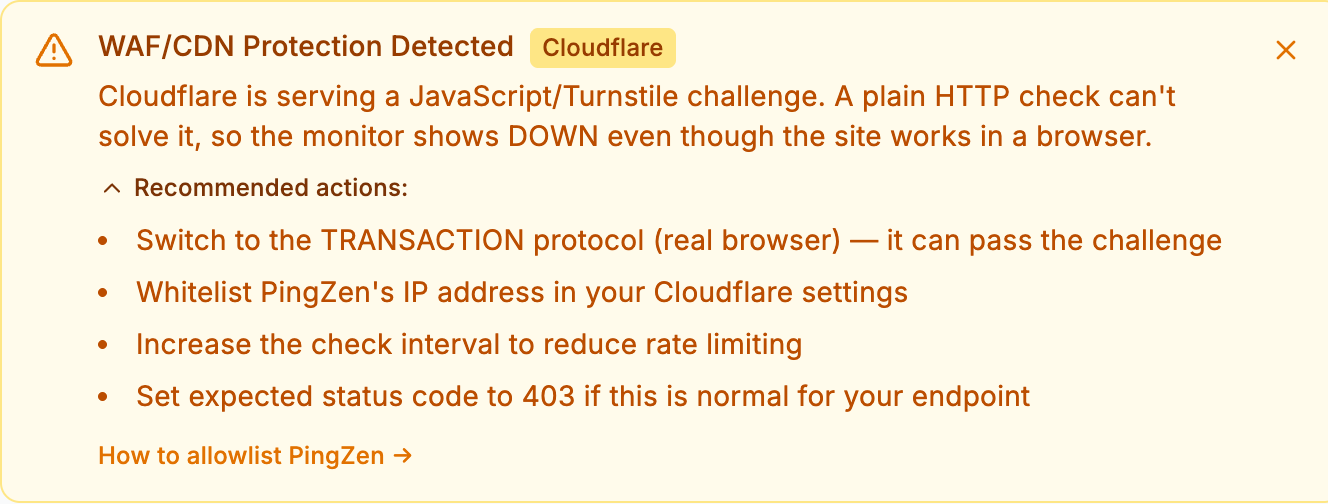
Instead of a misleading hint, you get a clear explanation and a short, ordered list of things that genuinely resolve it:
- Switch to the TRANSACTION protocol — a real headless browser passes the challenge where a plain HTTP check cannot.
- Allowlist the PingZen probe in your Cloudflare WAF (one skip rule on the
X-PingZen-Checkheader). - Increase the check interval, or set the expected status code to
403if a block is normal for that endpoint.
A new How to allowlist PingZen link drops you straight onto the setup guide.
Why it matters
A false DOWN at 3 a.m. is worse than no alert at all — it erodes trust in every future alert. Naming the cause precisely, and pointing at the one fix that works, turns a confusing red monitor into a 60-second resolution.
Already monitoring a Cloudflare-protected site? Open the monitor and look for the banner. New here? Create a free monitor — no card required.